unicodeit
- This is a project by Kyle Cranmer and me.
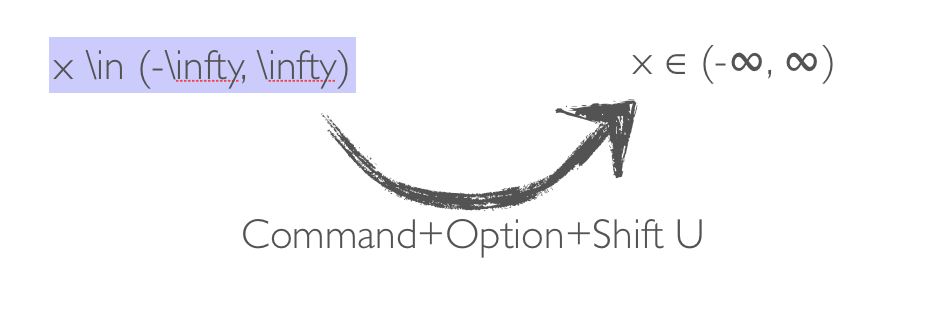
- To use it: highlight some text and use the shortcut to replace latex with unicode characters
- Examples: p̅, x̲, ẋ, ∂̸, H → γγ, ℋ, ℒ, x ∈ ℝ, y ∈ ℂ, β, γ, ∑, →, ←, μ⁺, e⁻
- Tested with Mac OS X Lion and Snow Leopard 10.6.4 in Keynote, Safari, Mail, Pages, TextEdit, Sublime Text; also tested on facebook.com, gmail.com, MediaWiki, TWiki using Safari
Online Version: www.unicodeit.net for any platform
- Source on GitHub: https://github.com/svenkreiss/unicodeit
- Download for Mac OS X: unicodeit062.zip
- Linux wrapper:
http://code.google.com/p/unicodeitlinux/-- not maintained anymore?
For the new Keynote on Mavericks, text replacements currently do not work. Here is a special version that stores the output on the Clipboard: unicodeit062clipboard.zip
Install this in parallel to the standard UnicodeIt and assign a different keyboard shortcut to it; for example cmd+ctrl+shift+i.
It's Free
The program is free and we hope you enjoy it as much as we do. If you feel like buying us beer or coffee, please do:
Installation on Mac OS Lion
- Download the workflow and open it
- Select File > Duplicate
- Save the duplicated workflow, e.g. as "UnicodeIt Copy"
- Setup keyboard shortcut under System Preferences > Keyboard > Keyboard Shortcuts > Services > Text > UnicodeIt Copy by clicking into the empty space behind it (e.g. Command+Option+Shift U)
- There is a delay first time you use the shortcut
Links
- For a more thorough discussion of LaTeX, HTML and Unicode tools and ideas: http://www.nongnu.org/elyxer/ and http://pages.uoregon.edu/noeckel/Keynote.html#caveats
- Linux wrapper for UnicodeIt: http://code.google.com/p/unicodeitlinux/
Changelog
- New in 0.6:
- improved sub- and superscripts
- some new symbols including: square root √, cube root ∛, fourth root ∜
- New in 0.5:
- added combining marks: for example \bar{p} p̅, \underline{x} x̲, \dot{x} ẋ, \slash{\partial} ∂̸
- New in 0.4:
- \rightarrow now has the alias \to
- added mathbb and mathcal symbols including the symbols used for Hamiltonian and Lagrangian densities ℋ, ℒ and for real and complex numbers ℝ, ℂ (for all symbols see the UnicodeItSymbols.pdf file)